
AJIO Design System
One component that re-themes itself for four AJIO storefronts. Designed once in Figma, then carried into code.
/ Overview
Four storefronts, each in light and dark, meant every design was finished once and then re-themed by hand three more times. That took two days or more per story, and small differences crept in between stores. I built a Figma system where the store is a setting, not a copy, and carried it into code. Design once, switch the store, and get the same result in Figma and in the build: nothing redrawn, nothing drifting, contrast checked in every theme.
/ Project details
2+ days
to re-theme one story for three stores, before
4 × 2
stores and themes from one component
3
contrast failures fixed across stores
The same product page, four stores
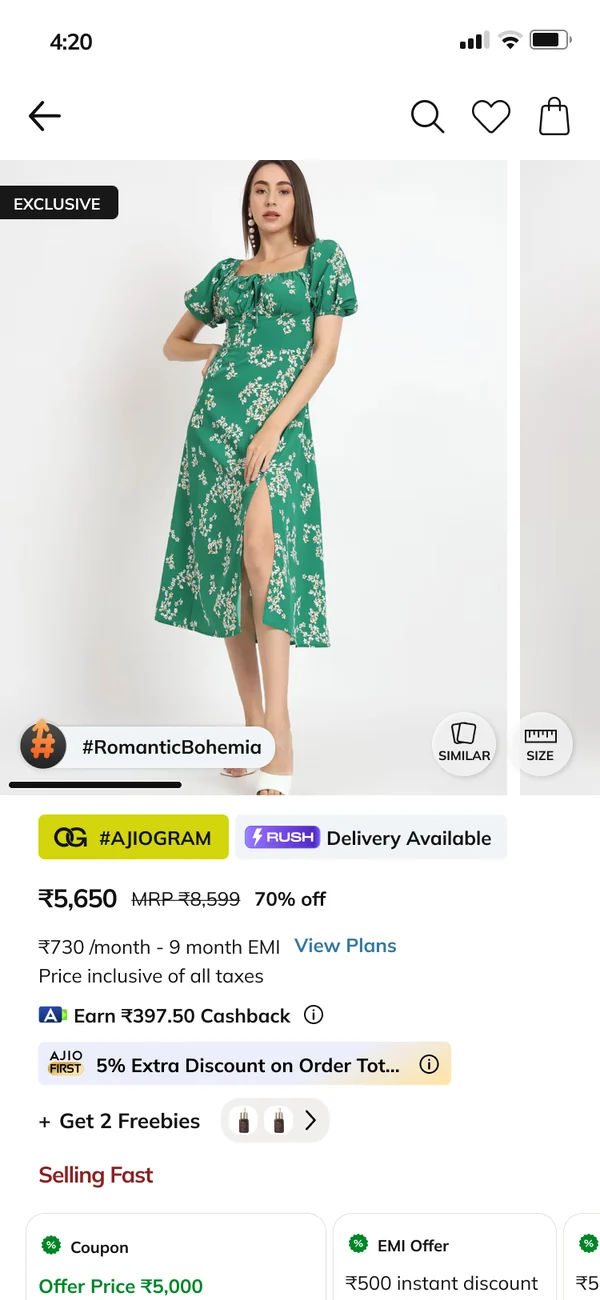
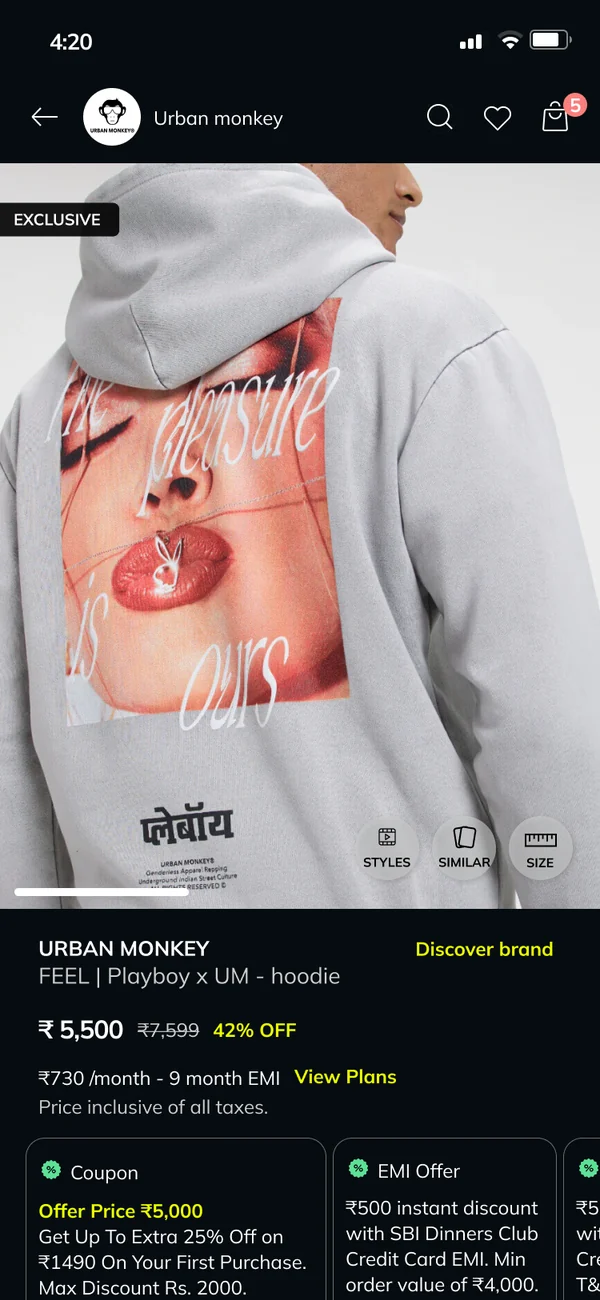
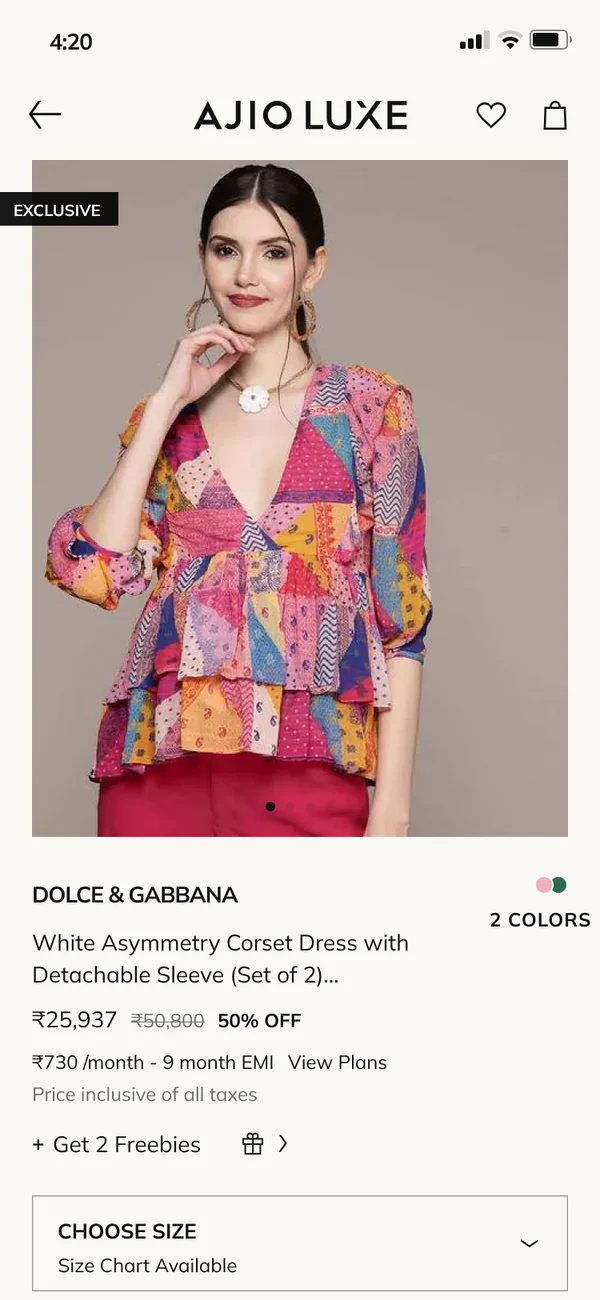
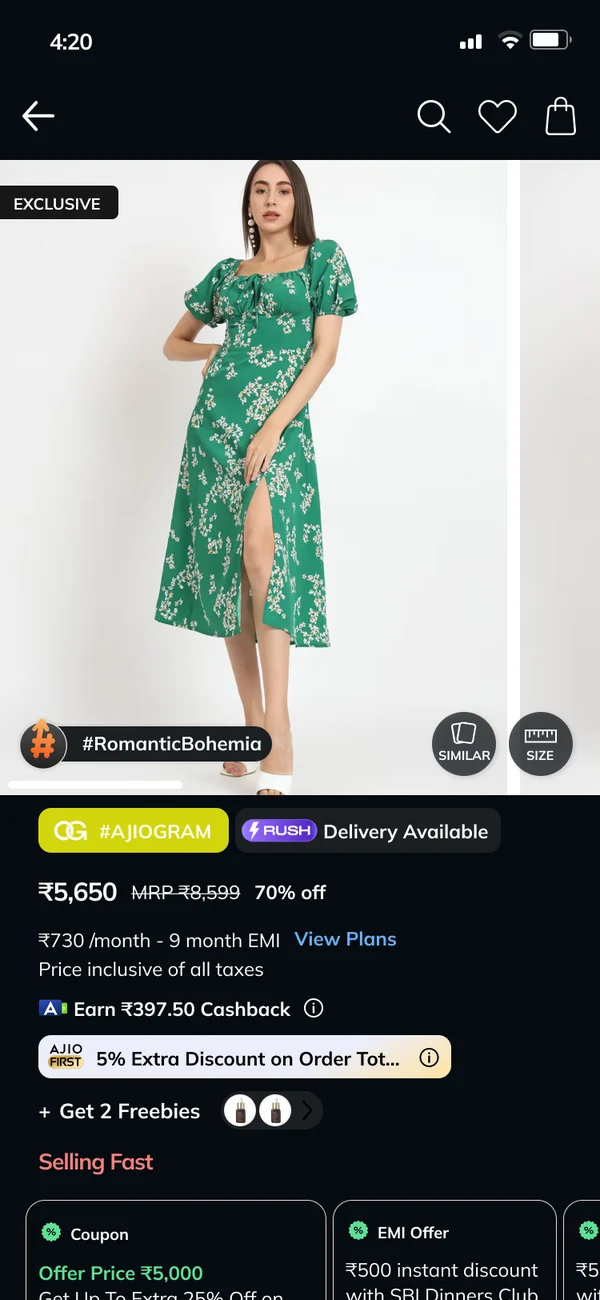
AJIO is designed first. Every other store follows. Once the AJIO design is final, re-theming it for Luxe, AJIOGRAM and Rush takes at least two business days, for every designer and every story.
Re-theme the design faster.
Make the store a setting, so the design is never redone.
Re-theming is design time that adds no design value. The layout, logic and copy stay the same; only colour, type, icons and images change.
2+ business days, per story
- AJIO design is finalised
- Duplicate it for Luxe, AJIOGRAM and Rush
- Re-apply each store's colours, type and icons
- Repeat in light and dark, then review
Drop it into a store frame
- AJIO design is finalised
- Drop the component into the Luxe, AJIOGRAM and Rush frames
- Colours, type, icons and images follow the store
- Review the result, not the re-theme
A store is a mode, not a copy.
Four variable collections, each pointing at the one below. Components bind to semantic values, which point at the store's brand values, which point at raw ones. Put a component in a frame set to a store and it re-themes; token-based switches swap icons and images the same way.
Core
Colour ramps, spacing, radius, type
Brand
AJIO, AJIOGRAM, Luxe, Rush
Semantic
Light and dark
Platform
App and web
Component
Bound once, re-themes anywhere
One section, dropped into four stores.
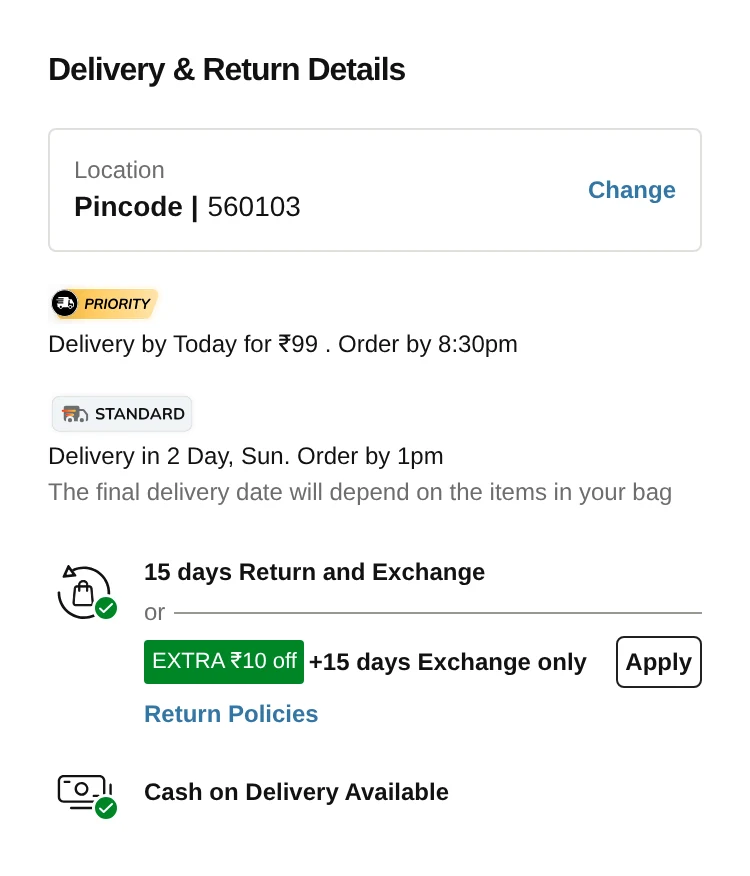
The same Return & Delivery section, shown in its place on each store's product page. The store sets the theme; the design is never redone.


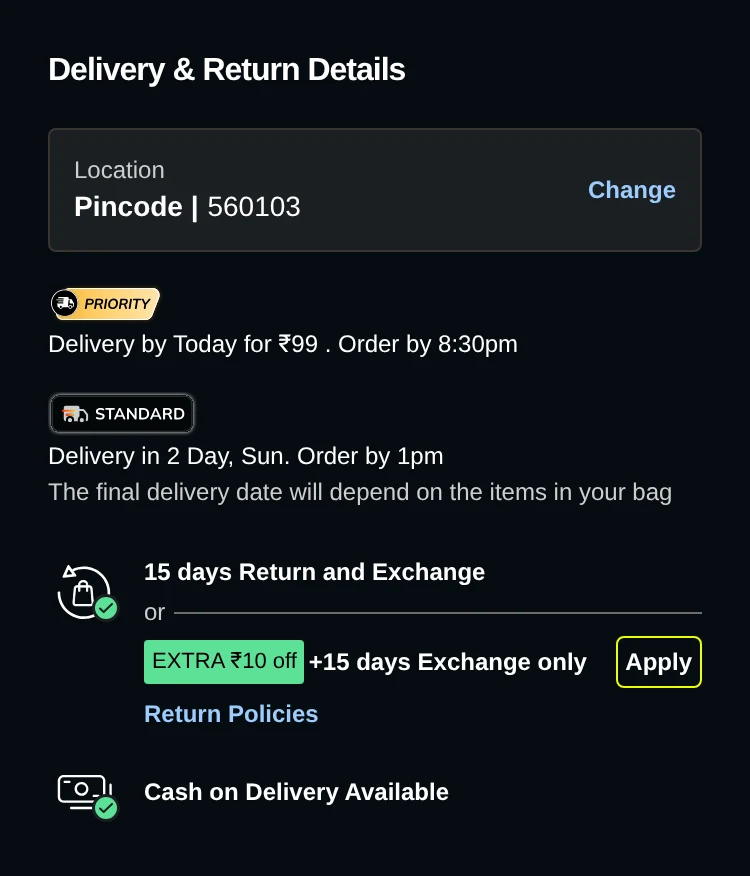

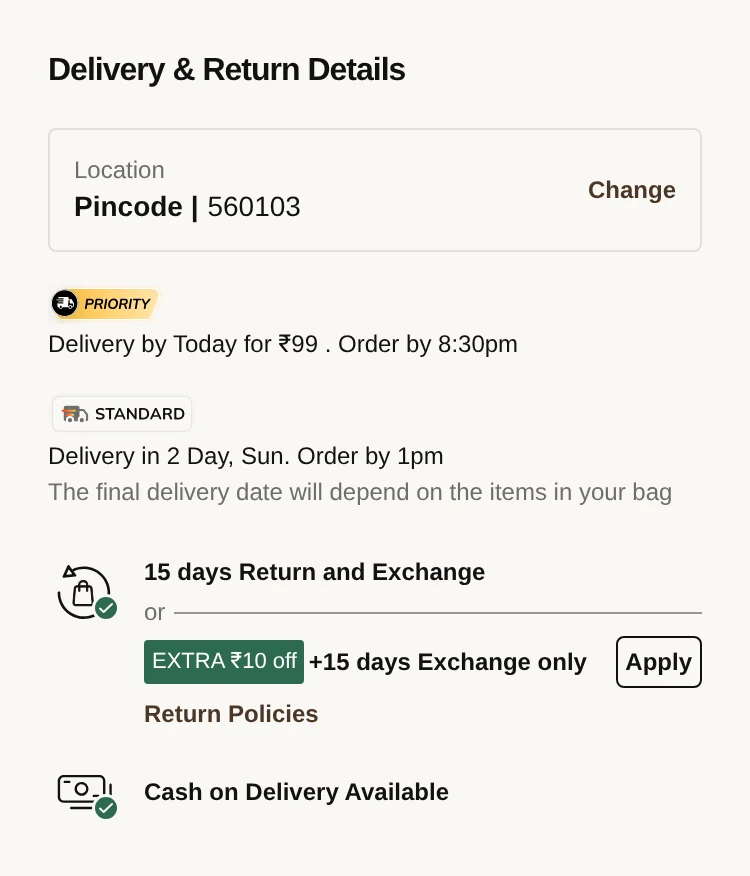

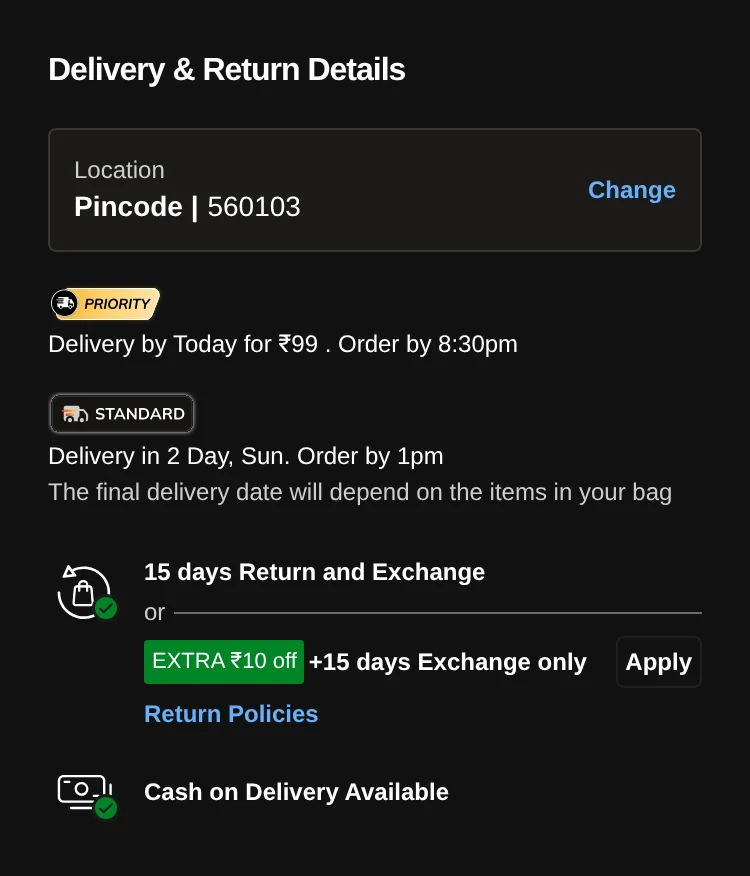
Scroll to drop it into each store
Designers had the drop. Developers were still retyping values.
So I extended the idea into code. Figma stays the source of truth: tokens sync from the file into CSS variables, and React components in Storybook follow them.
Figma
Variables, modes, components
Live bridge
Read freely, edit only when approved
Tokens
Token files to CSS variables
React + Storybook
Components, stories, checks
Ship
Hosted review, visual diffs
<StoreFrame brand="ajiogram">
  <ReturnDeliveryDetails />
</StoreFrame>

/* one wrapper, three switches */
[data-brand] [data-theme] [data-platform]
Connecting my own POC to code was the real test. A read-only audit of the file found where it leaked.
Of 11,595 variable bindings in the file.
With no token behind them.
Below the 4.5 : 1 accessibility line.
Most of the work was deciding what the system and the automation were allowed to do.
A store is a mode, not a copy
Duplicating components per store would bring the re-theme cost straight back.
Layers between value and component
Core, then Brand, then Semantic: a store change touches one layer, nothing downstream.
Figma is the source of truth
Values are never typed into code; fixes happen in Figma and re-sync.
A human approves every Figma edit
Each change is listed as a dry run first, with binding counts and screenshots before and after.
Checks over trust
Every CSS variable is checked against Figma, and contrast against every store and theme pair.
Report gaps, don't invent tokens
A hard-coded value or missing icon is logged to fix in Figma, never guessed.
The same component, switchable in the browser.
Store, theme and platform switch from a toolbar. With no theme set, each store uses its own default, so AJIOGRAM opens dark.
The automation found problems I would have shipped.
Text that looked fine in one theme failed in another. Each fix was made in Figma, then re-synced.
AJIOGRAM warning text
Return Policies link, Luxe dark
Return Policies link, AJIO and Rush dark
Bindings pointing to another library
533 variables and 11,744 bindings at the end, with none lost along the way.
The thin line marks 4.5 : 1, the minimum contrast for body text. The scale runs to 12 : 1.
The automation was only as good as the rules around it.
A naming clash, caught early
Two collections both had brand/accent, which collapsed into one CSS name. I matched Figma's naming and renamed one.
A stale export
Figma's own token export returned old values after a change, so the sync reads variables directly.
Two connections, silent reverts
A second bridge to the file undid some edits. The fix: one pinned connection and a binding count after every step.
What the AI did, and what I decided.
Claude set up the base token architecture and, in the code part, did the reading, writing and checking. Everything it worked with is UI already live in the AJIO apps; no business data, roadmaps or unreleased work went into it.
- Set up tokens for 4 stores × 2 themes
- Built the switches for icons and images
- Audited the file and synced tokens to CSS
- Wrote components and stories, and ran contrast checks
- The idea: drop a component into a store frame and it re-themes
- A store is a mode, with Core, Brand and Semantic layers
- Plain CSS variables, with Figma's naming wherever it clashed
- Which Figma edits to approve, and which gaps to leave open
The rule I gave it: use only the synced tokens; report hard-coded values and missing tokens or icons as gaps instead of inventing them; tell me before changing anything in Figma.
A working proof of concept, with the next steps named. Exact about what is built, rather than rounded up.
- Figma system: 4 stores × 2 themes, one component that re-themes on drop
- Token-based switches for icons and images
- Audit, token sync and validation into CSS variables
- Storybook with 26 stories and store, theme and platform switching
- Time the new process against the old two days, across a sprint
- Host Storybook with visual review on every change
- iOS and Android token output (web only today)
- Tokens for the ~570 hard-coded shadows
- Adoption evidence from AJIO's designers and developers
/ What I learned
Make the store a setting, not a redesign. Designers spend their time on decisions, and a pipeline proves nothing drifted.
Discovery
Checkout
Post-order
Conversion
Conversational UI
Behavioural design
Systems design
Design systems
0→1
B2B
Personalisation
Payments
Interaction design
Product thinking
Growth