
SHEIN Trends
Trend-led discovery for SHEIN India, across homepage, listing, product page and search. Creating intent, not just serving it.
/ Overview
SHEIN globally had Trends; SHEIN India didn't. My first project after moving from AJIO: bring trend-led discovery to the Indian catalogue, pricing and the Reliance ecosystem. I designed it end to end, on every surface where a trend can appear.
/ Project details
3
ways into Trends
6
surfaces designed
500
trends generated daily
Top 20
served per user cohort
From the homepage into Trends, and trends wherever products are
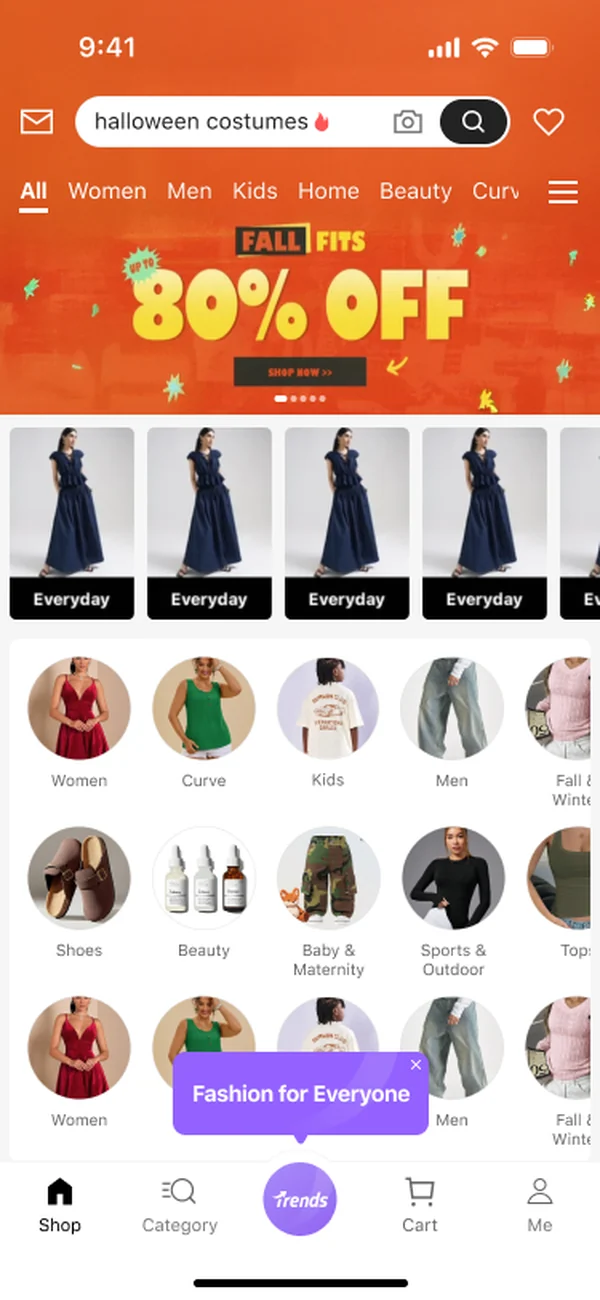
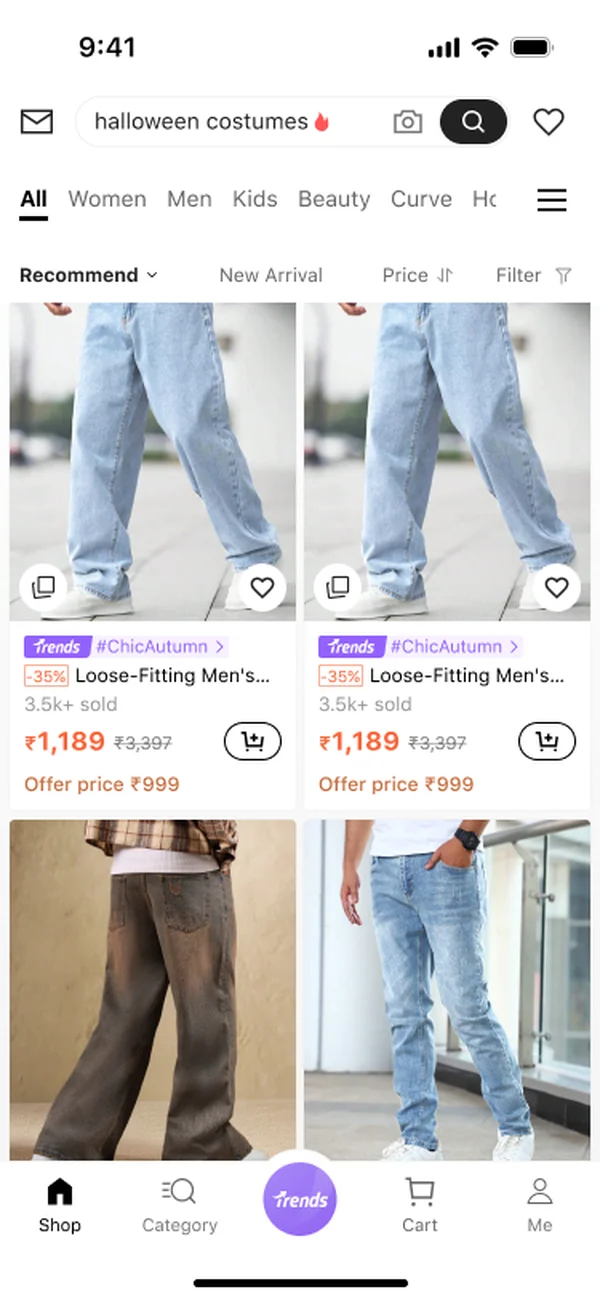
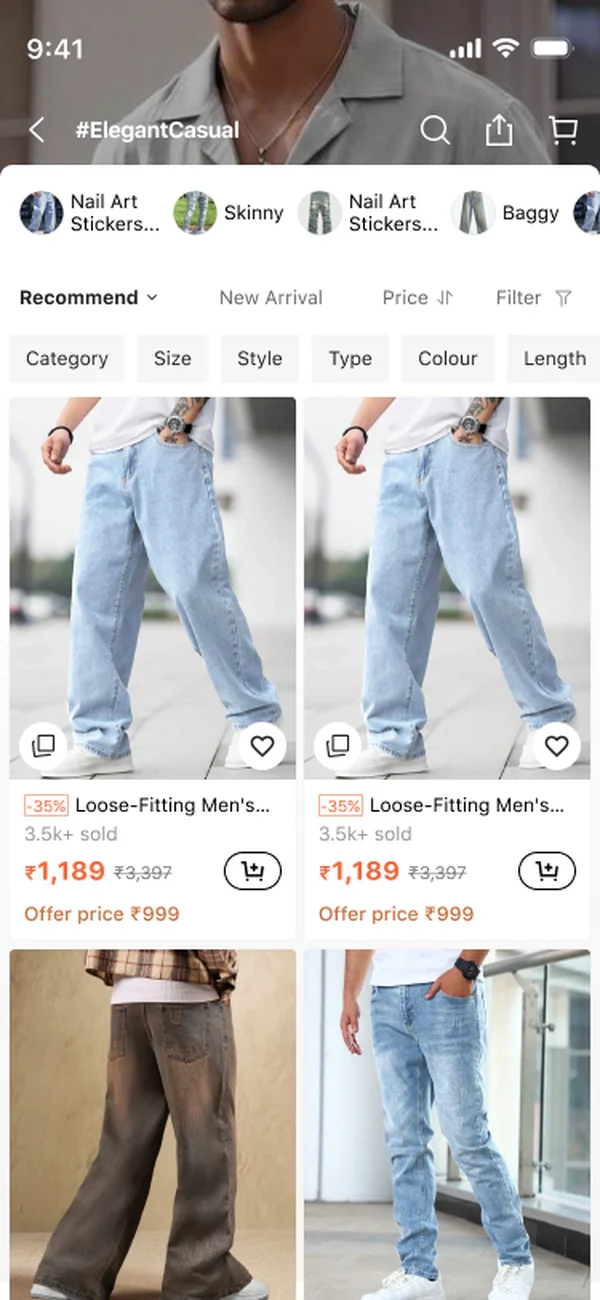
Two discovery modes, two different needs. Trends spark inspiration at the top of the funnel; vibes refine further down.
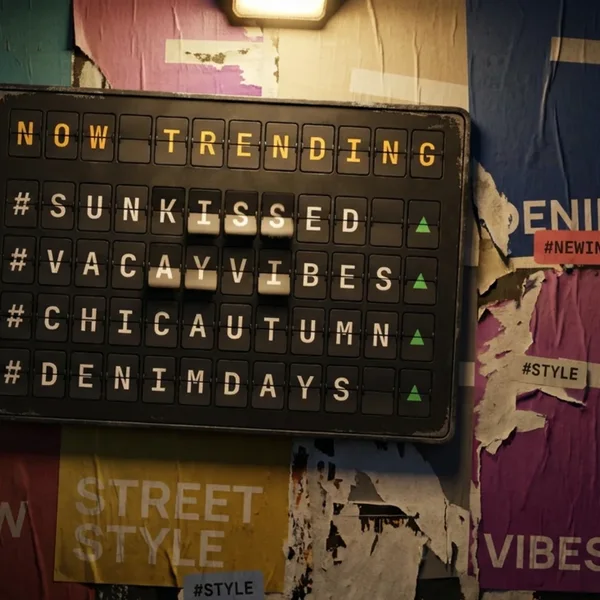
Trend: what's hot now
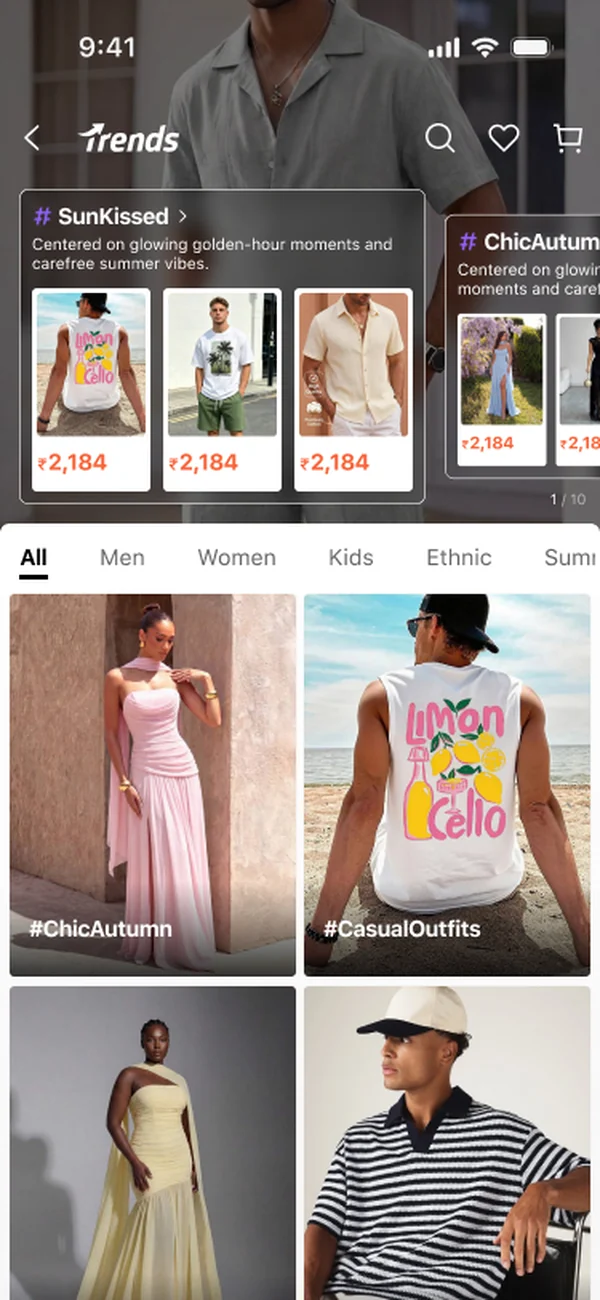
From social and culture, fast and time-bound: #SunKissed, #ChicAutumn. A starting point for people with nothing in mind.
Vibe: how it feels
From product attributes, in customer language: “casual evening wear”. Designed, and scoped to a later phase.
Three entry points, each for a different moment.
First-time floater
Rises from the Trends icon once per user, for three seconds. An announcement, not a nag.
Homepage widget
The top four trends with mood images and products, refreshed every two weeks.
Bottom navigation
A permanent Trends tab, reachable from anywhere.
Inspiration first.
Commerce close behind.
A carousel to start from
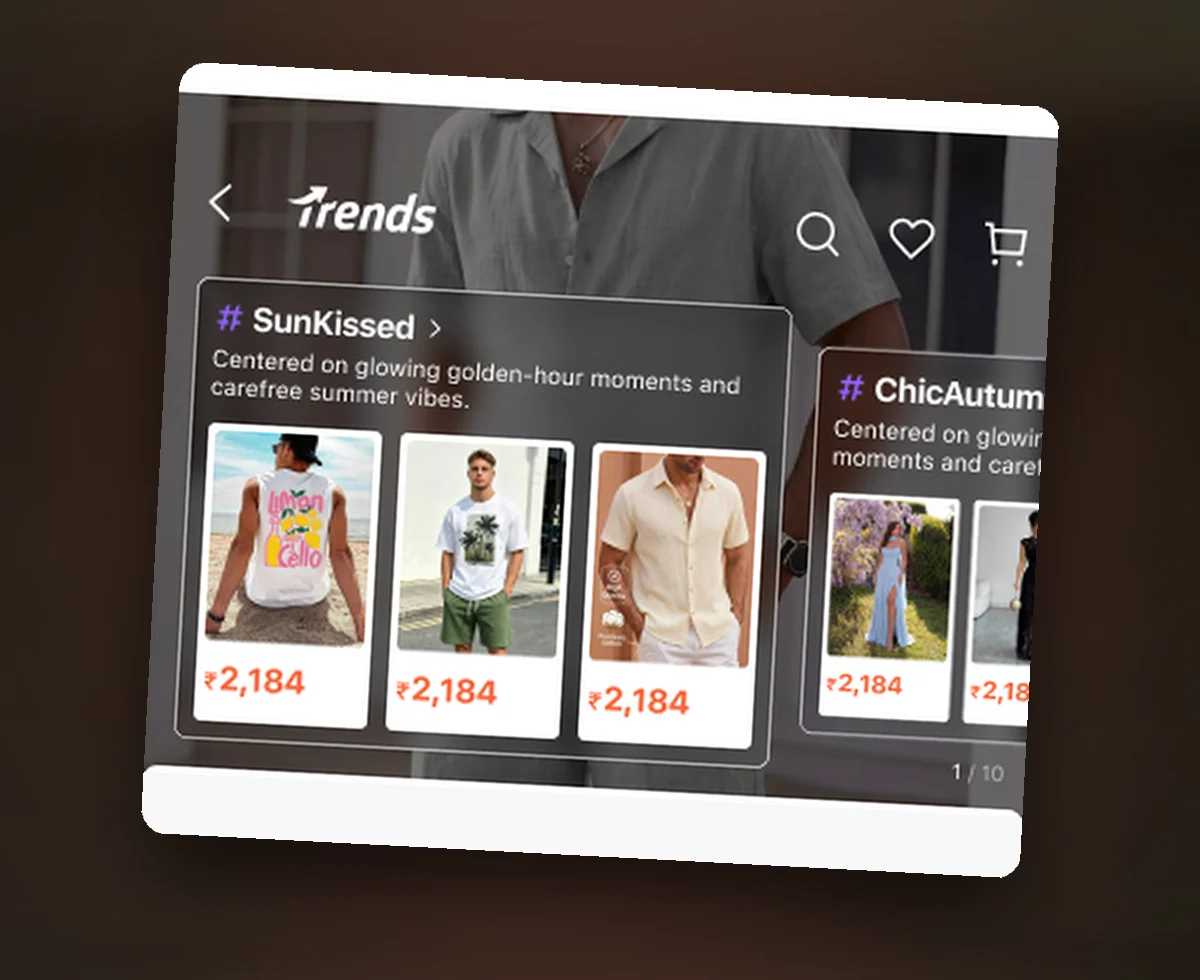
Up to ten trends, full-bleed and auto-advancing. Each shows a hashtag, a two-line story and three products with prices.
Every trend, one grid
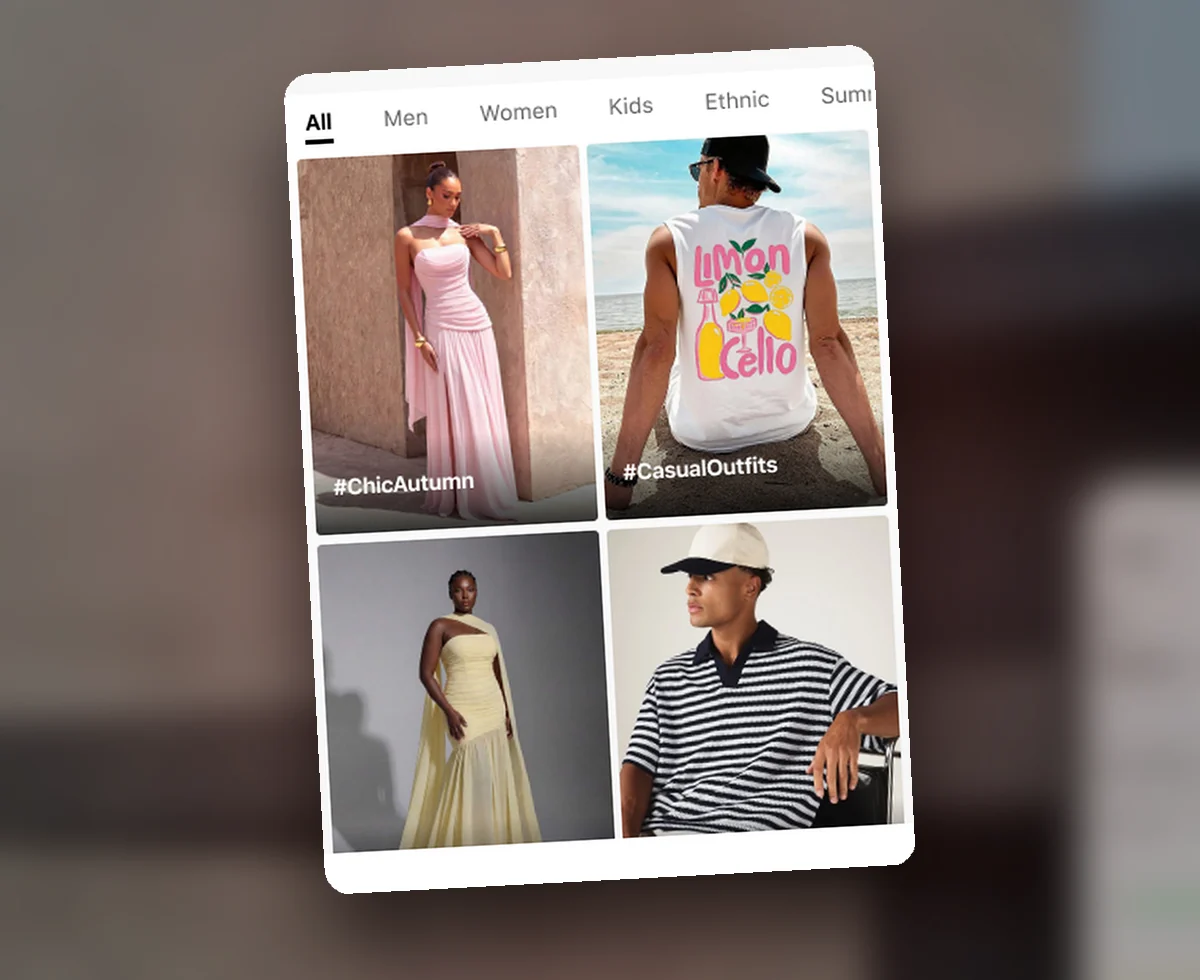
A two-column grid ordered by how many products each trend has. A filter strip (Men, Women, Ethnic…) narrows the grid without touching the carousel.
Top trends on the homepage
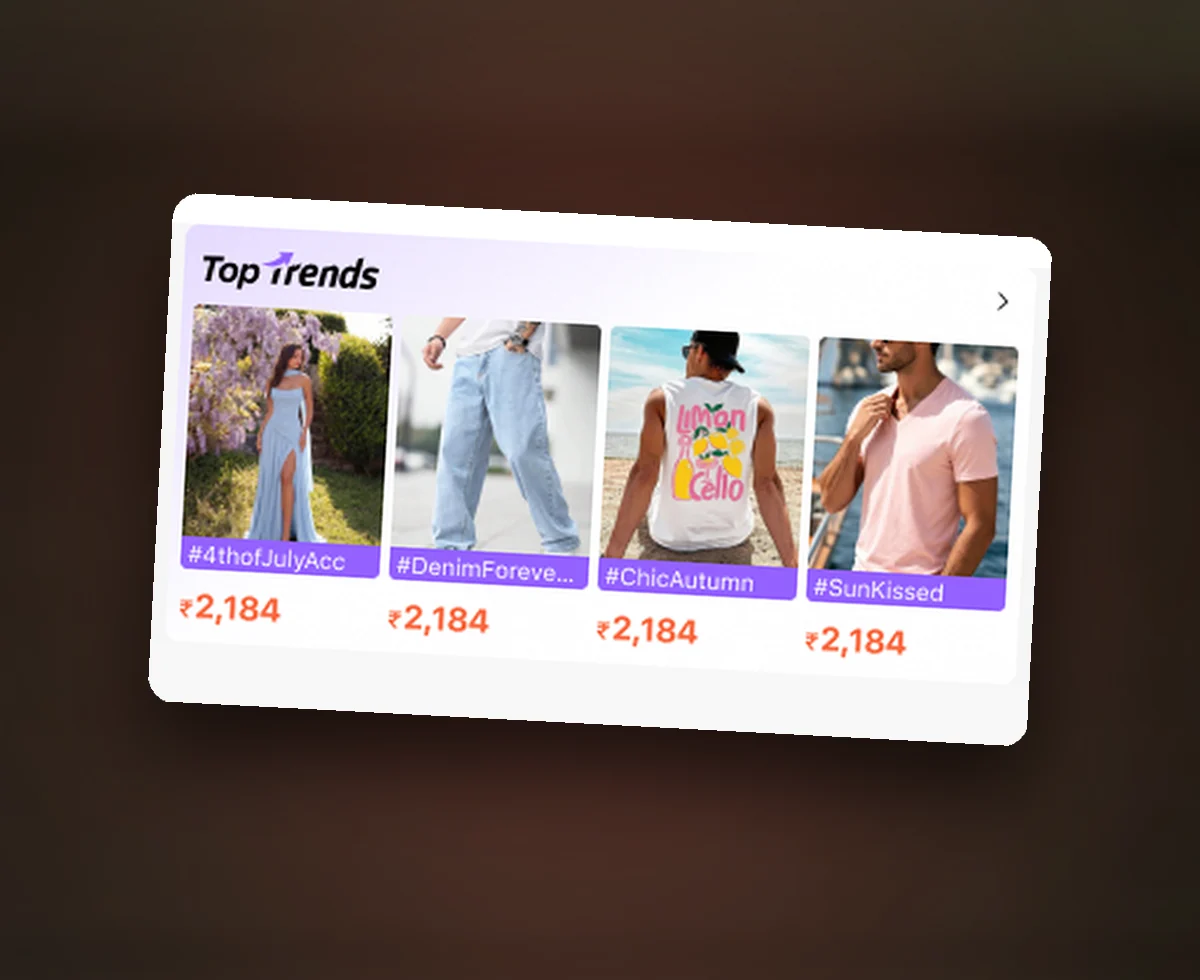
A homepage widget with the four top trends, each with a product and its price. Tap a trend to open its listing with that product pinned first, or the arrow for every trend. Refreshed every two weeks.
Trends wherever products are
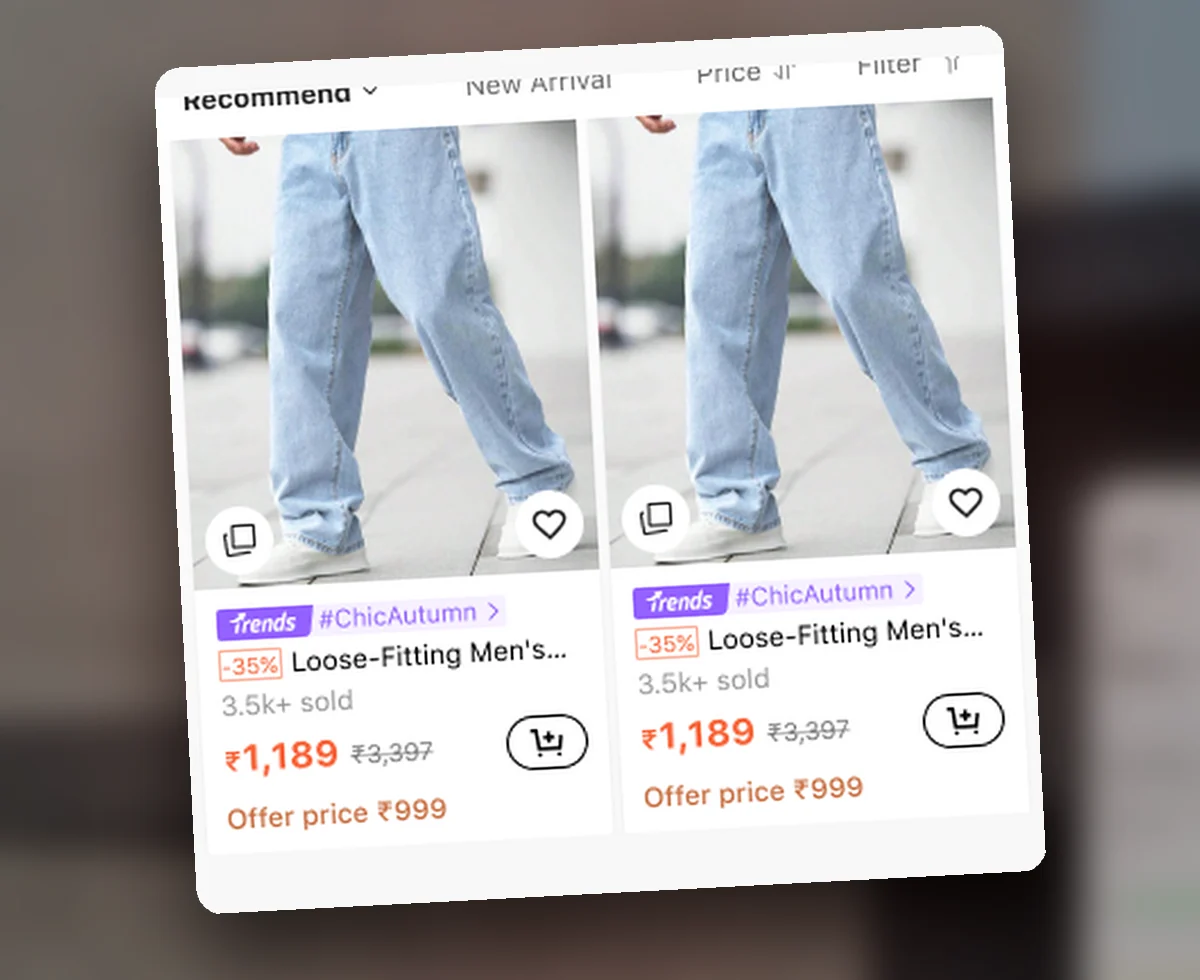
Trend chips on product cards in regular listings, trends as a filter, and trend names in search suggestions. Tap a chip to jump into that trend.
Configurable at every level, so it can scale. The data science team generates up to 500 trends daily; the top 20 are served per cohort, segment and gender.
Three widget types
Platform, gender and category level, each placeable on any landing page from the CMS.
A flag per surface
Homepage, floater, product page, search and filters roll out and test independently.
/ What this represents
From helping people buy what they want to showing them what they didn't know they wanted. Every AJIO case here removes friction; this one creates intent.
Discovery
Checkout
Post-order
Conversion
Conversational UI
Behavioural design
Systems design
Design systems
0→1
B2B
Personalisation
Payments
Interaction design
Product thinking
Growth